- Web App
Smarter Groups
Web app that assigns workshop students to project groups based on their preferences, while respecting group sizes and classroom mixing.
What it does
Helps a teacher (or workshop organizer in general) to assign students (participants) to the projects in a workshop. The teacher first gathers students’ preferences in a CSV file, and then can bulk import this.
The algorithm then tries to assign students to the projects, respecting as much as possible the limitations (minimum and maximum numbers, max numbers from same classroom).
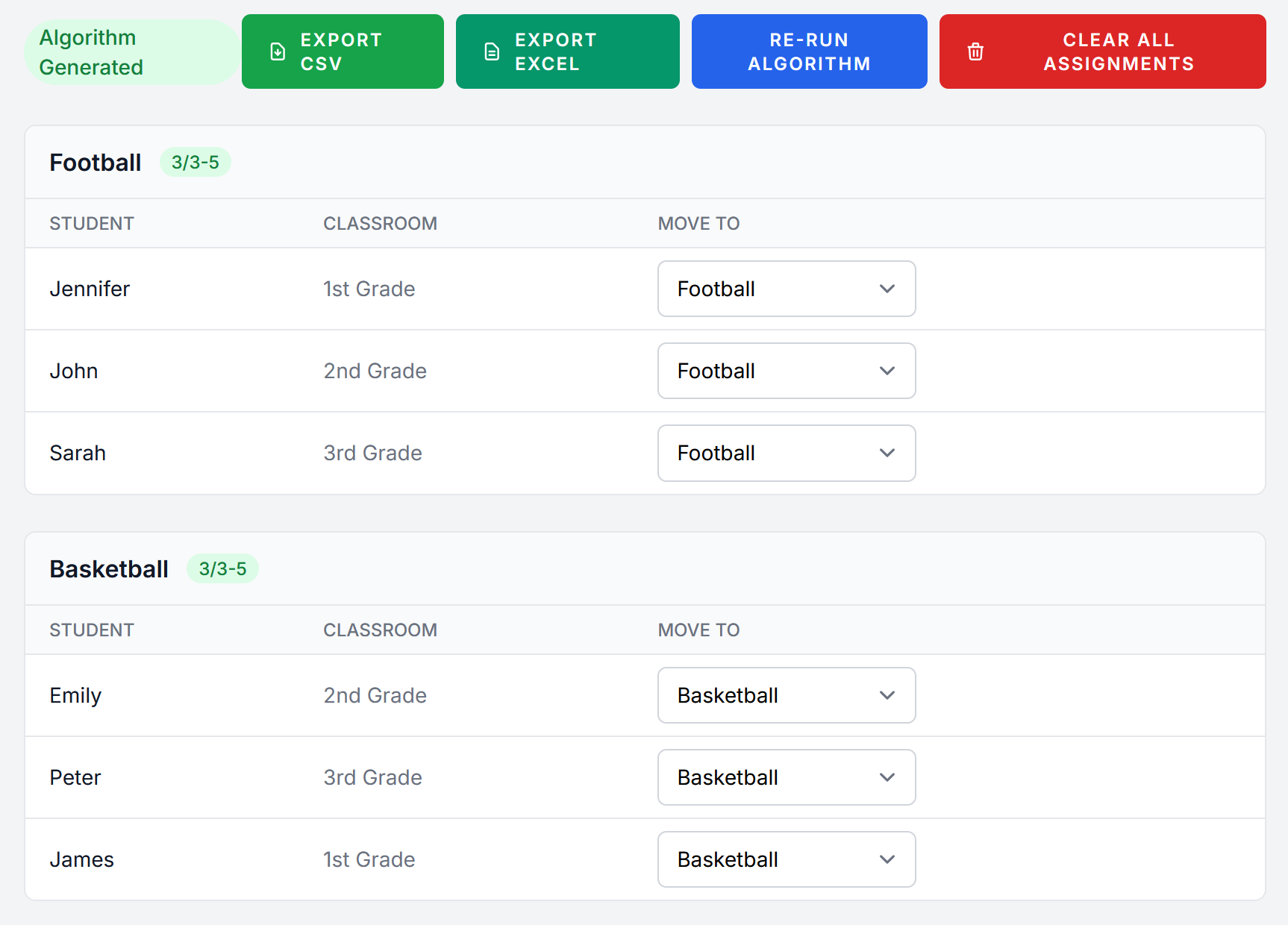
It then shows the results, with warnings for any students that couldn’t be placed or projects with not enough participants, and allows teachers to rearrange as they see fit.
The point is to create a good enough base, by removing the tedious part, leaving the judgement calls to the real experts, the teachers.
Why I built it
A friend of mine was a teacher in a primary school, where they run 3-4 workshops a year, with students from the whole school mixed in different projects. They gathered students’ preferences, but then, to assign students to projects, they would have 4-5 hours of meetings with all the teachers, a long, tedious process, and issues with people complaining about some of the assignments.
After speaking with my friend, we worked together and created a first version before one workshop, which allowed them to have a few starting points for their meetings. This was a Java CLI with the CSV files as input. Over the next workshops, we refined it, making improvements in the algorithm and the experience.
Finally, since many times they wanted to be able to run it themselves as things are dynamic (e.g. deciding to see what it would look like if they completely removed one project, etc), I decided to turn it into a web application, so that it could perhaps also help other people.
How it's built
Initially it was a simple Java CLI application, with Apache Commons CSV for the CSV import.
When moving to a webapp, I decided to go with Laravel, that I wanted to try again after many years to see its evolution, and which I remembered was good for creating CRUD applications. I started with defining the architecture, main models etc, and decided to try using agentic AI for the rest, as my first project really giving it a proper try. So, a lot of the code, especially UI wise, is created by AI.
The heart of it remains the assignment algorithm. This took many iterations to get right. Or right for the specific use case at least. Groups are filled based on their priority, and for those with same priority, those that fewer participants chose are considered first, so that they have better chances to get filled. Students are sorted by how constrained their choices are, to maximise chances they can be placed in a group. When a group reaches its minimum participants, it loses its priority, so that we don’t overfill popular groups and then don’t have people to fill the rest.
Challenges / What I learned
How do the users really use it?
The first implementation, the Java CLI, focused a lot on the algorithm. A very interesting part was seeing in real time how sometimes users think they need one thing, but when they have it, realise it doesn’t work for them. So, I would build a version, tweak the algorithm, run it in the real use case with the teacher, and see them try to figure out why this didn’t produce good enough results. It was proper Agile development, with quick demos and feedback.
For example, the option to allow a limit of how many students from a class can be in a project didn’t come until the 2nd workshop, when younger students had only 4-5 choices for projects, and due to the algorithm they were almost all assigned to one specific project. Or earlier, the priority groups came into being because some “less desired” projects would not be filled at all.
A hugely important part here was to understand the real goal, use case of this. It was not to assign the students. It was to assist the teachers. Even if my programmer ego wanted to provide the “perfect solution”, there are always pedagogical and other requirements that can’t be taken into account. So, I was not searching for the “one true optimal solution”. I was giving them “good enough” tools, allowing them to tweak and run again, get some starting point, and letting them decide. That’s why in the web version, the ability to rearrange students was added, as that’s what they were doing in the meetings afterwards anyway.
Agentic development
I guess the other new thing I learned here had to do with AI, and software development in the new agentic AI era. I definitely believe that the role of good Software Engineers is more important than ever. In the past, I had played a bit with AI, had used it for some quick scripts to test something, but not for real work. This was the first project I worked on after agentic development had made its “leap”, and I got to use it and see its capabilities and weaknesses. I deliberately decided to “let the AI run wild” with the UI, and just focus on the general architecture and important details. That was a fun experiment. I was both amazed to see that it could do a very good job getting something up and running, and frustrated to see it sometimes did a terrible job. For example, it had a lot of issues implementing and finding bugs in the algorithm, which is a bit advanced and with edge cases, even though it was “copying” the Java implementation that I had given it. However, it was an eye-opener for the fact that, whether we like it or not, the way we develop software is changing right now. And it’s a very fascinating era to be in.
People fear that one day maybe AI will replace us… But for me it feels like, after the whole “vibe coding” storm, now it’s the time to replace AI with software engineers again, who can think, reason, design, architect and guide, using AI as a force multiplier.
Screenshots